
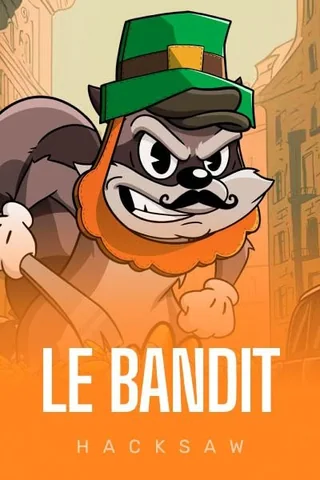
Le Bandit
Hacksaw Gaming
No store download exists. The browser build installs to the home screen in two or three taps, and we measured how it behaves on 4G over six months.
There is no Spinfin app to download from either store. What exists is a browser build that installs to the home screen and behaves like an app once it is there. We ran it on an iPhone 13 and a Pixel 7a for six months and timed the parts that matter.

Every number here comes from a funded Spinfin account opened in March 2026: real deposits, real cashouts, a timestamp on each one. No paid placements. Page last reviewed 8 September 2026.
A progressive web build. The install saves an icon and a manifest, then loads the same site without browser chrome. There is no APK to sideload, no TestFlight link and no store listing, so any download page you find for Spinfin is not the operator's.
| Step | iPhone 13, Safari | Pixel 7a, Chrome |
|---|---|---|
| Open the site | 1.9 seconds to first paint | 1.6 seconds to first paint |
| Install prompt | Share, then add to home screen | Menu, then install app |
| Taps to finish | 3 | 2 |
| Icon appears | Immediately | Immediately |
| First launch to lobby | 2.4 seconds on 4G | 2.1 seconds on 4G |
| Storage used | Around 42 MB after a month | Around 38 MB after a month |
The desktop sidebar becomes a bottom bar with menu, casino, sports, bonuses and search. Category chips run across the top as a horizontal scroller, which is faster than it sounds once you learn the order.
 All games
 Hot
Hot Top
Top New
New Popular
 Bonus buy
 Slots
Slots Roulette
 Blackjack
 Live casino
 Game shows
Game tiles drop to two per row in portrait and four in landscape. Search is the fastest route to a specific title, and it matched partial names correctly on every attempt, including apostrophes.





Hacksaw and Playson titles are built portrait first and needed no rotation. Le Bandit and Supercharged Clovers were the smoothest of the set, holding 60 frames on both handsets.






The Novomatic classics are the exception. Book of Ra and Sizzling Hot Deluxe are landscape layouts with small buttons, and they are noticeably more comfortable on a tablet than a phone.
| Measurement | iPhone 13 | Pixel 7a |
|---|---|---|
| Battery for one hour of slots | 9% | 11% |
| Data for one hour of slots | 58 MB | 63 MB |
| Data with a live sports stream | Around 130 MB | Around 140 MB |
| Crashes in six months | 1, during a network handover | 0 |
| Spins lost to a dropout | None, the round resumed | None, the round resumed |
The single crash happened moving from wifi to 4G mid spin. Reopening the icon restored the round and the balance was correct, which is the behaviour you want from a slot session that gets interrupted.
Deposits, withdrawals, limits and document upload all work in the mobile build without falling back to a desktop layout. Camera upload for ID worked in one attempt on both phones, which is where a lot of casino mobile builds fail.
Everything you can start on a phone finishes on the same schedule as desktop, so the Spinfin casino withdrawal times we logged apply either way. Push notifications are opt in and, on our account, were used for reload offers rather than nudges to play.
An installed icon keeps you signed in, which is convenient and also a risk on a shared phone. Turn on the device lock, avoid saving the password in the browser, and use the session list in the account area to sign out remotely if you lose the handset. The steps we tested for a locked out account are in our Spinfin login troubleshooting.
No. Spinfin runs as a mobile site that installs to the home screen. Anything claiming to be an official download in either store is not from this operator.
Open the site, use the browser share or menu button and pick add to home screen. Three taps on iOS, two on Android, and the icon then opens without the address bar.
Yes. All the titles we counted on desktop were present, including the Hacksaw shelf and the sportsbook, using the same account and balance.
No. The shell loads from cache but every game and every bet needs a live connection.
Around 60 MB an hour of slot play on our measurements, and roughly double that when live sports streams were open.